
Overview
The Warden extension manages user access through its dedicated permission framework. Please note that Warden does not support the subscription-based permission model, as third-party extensions cannot interface with it.
Supported User Types and Access Levels
Warden supports users created via the following Plesk methods:
- Sub-administrators: Created using Tools & Settings > Additional Administrator Accounts. These accounts have full access to all Warden features.
- Resellers: Created using Resellers > Add Reseller. Access is restricted to their assigned customers and domains.
- Customers: Created using Customers > Add Customer. Access is limited to their own domains.
- Mail Users: Created using [Domain Name] > Create Mail Account. These users can only access their email accounts. Authentication requires the full email address and corresponding password.
Configuring Permissions
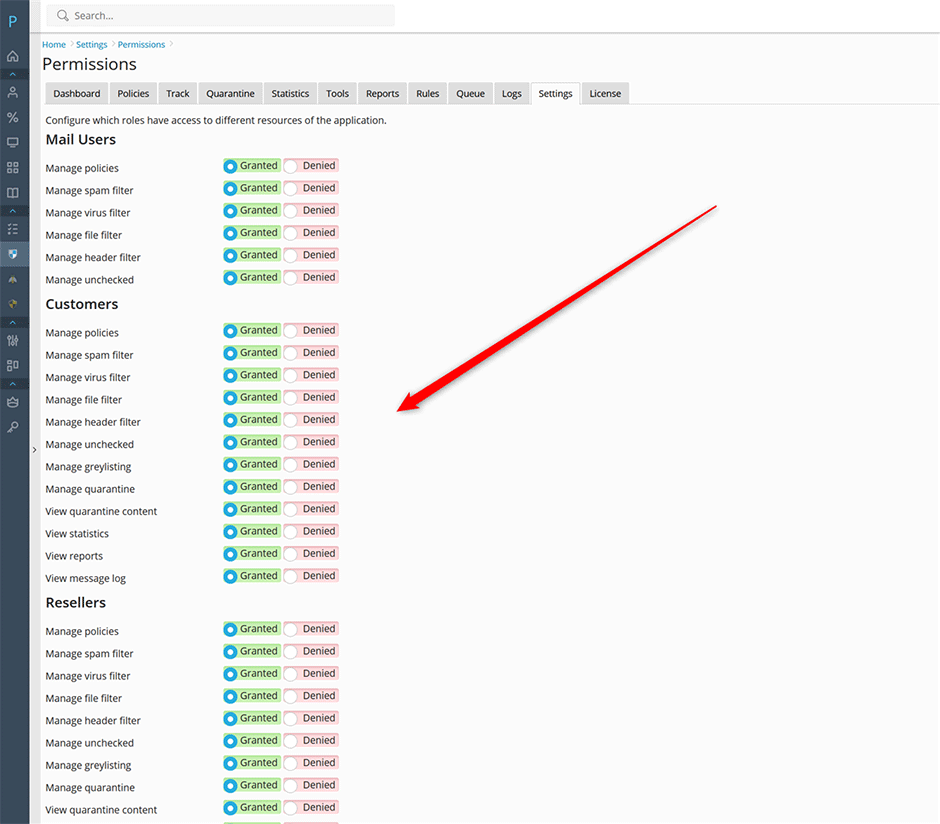
Administrators can grant or restrict Warden extension access for specific user groups using either the Plesk interface or the command line:
- Plesk Interface: Navigate to Warden > Settings > Panel Application > Permissions.
- Command Line Interface: Execute the following command:
For additional details, refer to the Warden CLI documentation.warden --task=application:permissions
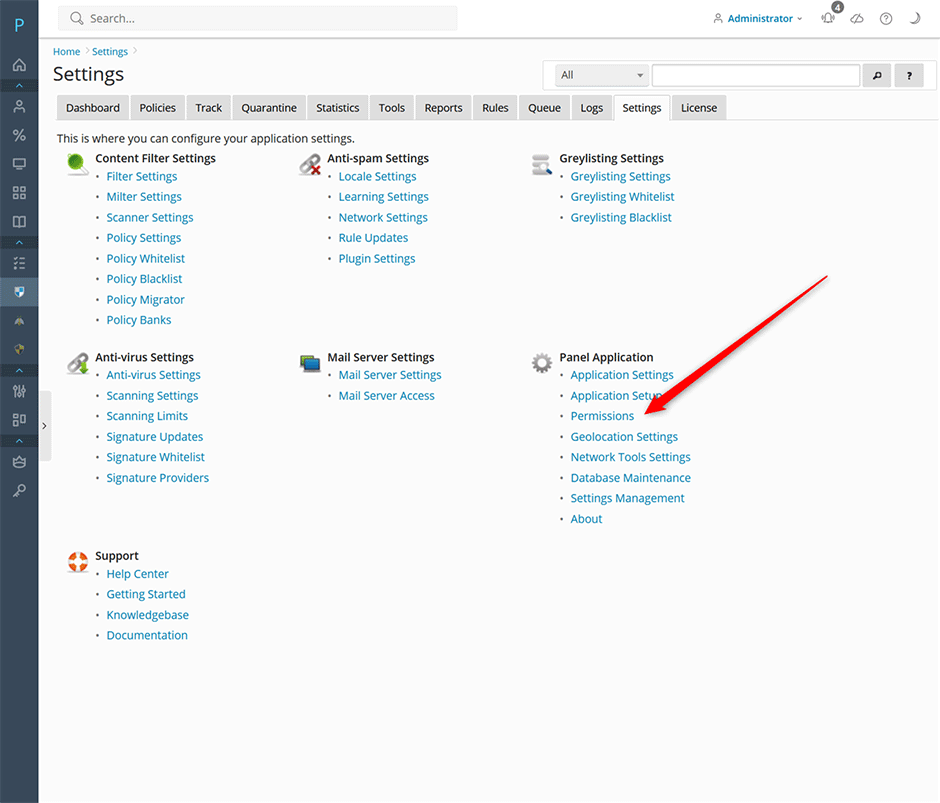
Access Control Behavior
Denying Access: Restricting a specific permission will completely hide the corresponding Warden section from the designated user group.
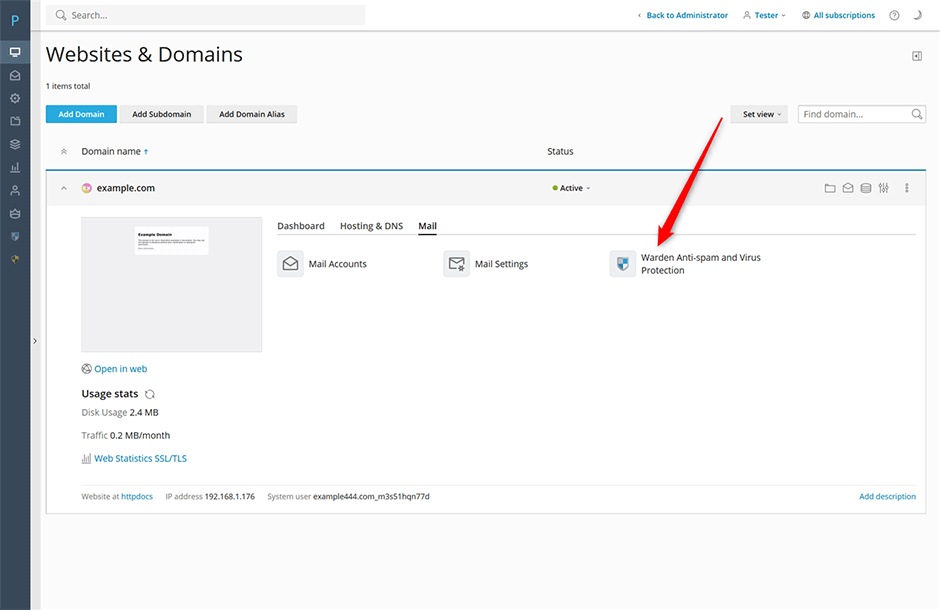
Granting Access: When permissions are enabled, authorized user groups will see a direct link to the Warden extension upon logging into Plesk.
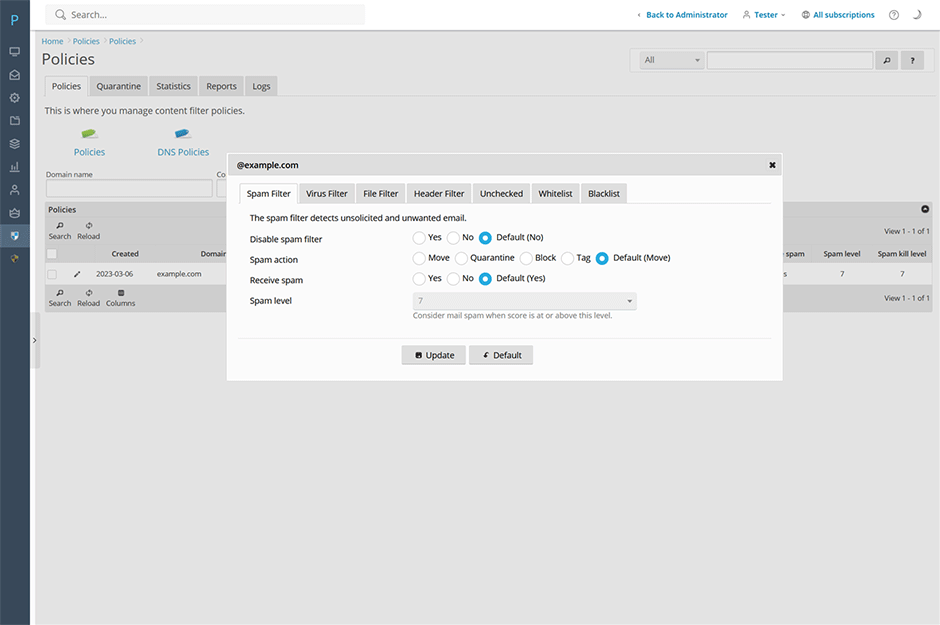
Once access is granted, users can manage security policies and review activity logs specific to their assigned domains and mailboxes.
Troubleshooting
- Subscription-based permissions not applying: Warden does not integrate with Plesk's subscription permission system. Ensure all users are created and managed using the supported methods listed in this article.
- Extension link missing after granting access: Verify that the correct user group is selected in the Permissions panel. Users must log out and back into Plesk to refresh their session and display newly assigned extension links.
- Mail users unable to authenticate: Confirm that mail users are logging in with their complete email address rather than a shortened username, as required by the Warden permission system.